Driving

Drift setup

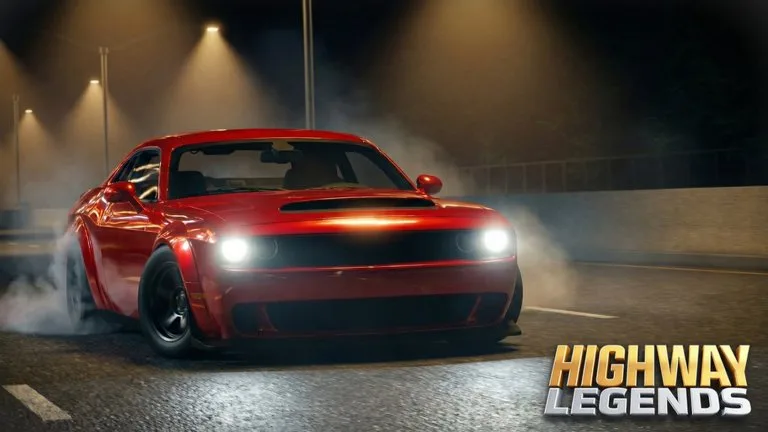
Turn traction control off, tap the handbrake, and clutch-kick a rear-drive car such as the Furrocco VX25 Trackday.

Drift setup

Turn traction control off, tap the handbrake, and clutch-kick a rear-drive car such as the Furrocco VX25 Trackday.

Drifting uses the handbrake and the clutch on a rear-drive car with traction control off. All-wheel-drive hypercars are the wrong tool for a held slide even when they have the higher top speed.

Cars named for slides

Guides name two limited rear-drive cars for controlled slides: the Furrocco VX25 Trackday (also written Frco VX25 Track Day) and the Zembara Phantom GT. The VX25 is listed at 875,000 Cash, with a stock 0 to 60 mph time of 1.5 seconds, and under one second after upgrades. Its top speed is described as capped under 326 mph, which is the trade for the launch.

Tuner-class cars are the other sideways option. They need the Tuner Vehicle Pass (249 Robux) before the dealership will sell them, and then they still cost cash.

Start a slide

  1. Build some speed toward a bend or a gap.
  2. Turn traction control off with T on PC or LSB on a controller.
  3. Turn in and tap the handbrake, Left Shift or LB. Do not hold it until the car stops.
  4. Tap the clutch, Left Ctrl or RB, let the revs rise, and release to kick the rear tires.
  5. Countersteer and use the throttle to hold the angle.
  6. M or D-pad down changes transmission mode if the car is surging.

ABS is Y on PC and is unbound on the current console list. Turning it off is what lets a brake lock happen on purpose. First person is V or RSB if you need the nose of the car in view.

Setup that helps

Drift tires match this job. Race tires fight the slide. Extra Customization (299 Robux) makes camber and ride height free, which is the stance tool if the rear will not stay out. Stage 4 power makes the clutch kick harsher. It is not required to start drifting.

Above roughly 170 mph, heavy hypercars are described as losing steering response. Use the wide tunnel sections for top speed and the Green Ring or the port when you want a slide with fewer commuters.

FAQ

Frequently Asked Questions

How much cash do you start with?

A new profile starts with 40,000 Cash. That is enough for an entry car such as the Marker Hyperbird at 13,675 Cash. The Beam C2 is listed at 145,000 Cash, so it needs codes or a few highway runs first. Joining the developer group also unlocks the Adar DC16 Wagon from the Group tab without spending that starter cash.

What is a cut in Highway Legends?

A cut is a close pass through highway traffic. The official badges award 1,000 cuts, 5,000 cuts, and 10,000 cuts. Cash and XP also rise while you keep speed and pass civilian cars. Crashing ends the run, unless you have turned traffic collisions off.

Should traffic collisions be on?

Open Settings and turn traffic collisions off before a grind run. Guides describe that toggle as a 0.7x cash rate in exchange for driving through traffic without a wreck. Leave collisions on when you want the normal cut risk and the full rate.

How do you unlock Stage 4 tuning?

Stage 1 through Stage 3 engine, forced induction, brakes, and Very Long gearing are bought with cash, and you can skip straight to Stage 3. Stage 4 engine, turbo, supercharger, brakes, Drag Tires, and Super Long gearing require the Stage 4 Tuning Access pass, which is 199 Robux on the official pass list. The pass unlocks the parts. You still pay the in-game install cost.

Does a vehicle pass give the car for free?

Vehicle passes do not gift the cars. Tuner Vehicle Pass (249 Robux), Track Vehicle Pass (349 Robux), and Hyper Vehicle Pass (399 Robux) only open those dealership tabs. You still pay the car's cash price. VIP Pass (399 Robux) opens VIP cars and adds a chat tag, a group rank, and a server role after you join the listed community.